Data collection is the foundation of every ABA therapy. If your data is incomplete, late, or sitting in a system your team doesn't trust, every decision that follows gets harder. Programming, supervision, billing, and parent reporting: all of it depends on clean data captured in the moment.
The right software makes that easy. The wrong one creates more work than it saves.
We reviewed 15+ ABA data collection platforms and narrowed the list to the 5 best for 2026. Every tool on this list is HIPAA compliant, supports the data types BCBAs actually use (frequency, duration, interval, ABC, task analysis, rate), and either includes practice management or connects cleanly to one.
Best ABA Data Collection Software at a Glance
| Tool | Best For | Starting Price | Key Strength | Mobile + Offline | HIPAA |
|---|---|---|---|---|---|
| 1. Theralytics Top Pick | All-in-one ABA practices that want data collection plus practice management | $20/client/mo | SOC 2 Type 2, ONC certified, with real-time sync and a unified KPI dashboard | ✔ | ✔ |
| 2. Motivity | Clinical depth with optional practice management add-ons | $24/learner/mo | NIH-backed clinical tools and 1,000+ program templates | ✔ | ✔ |
| 3. Hi Rasmus | Telehealth, supervision, and the widest range of data types | Quote | Async video supervision and AI-assisted notes | ✔ | ✔ |
| 4. ABADesk | Solo BCBAs and small practices on a budget | $10/user/mo | Simple, affordable data tracking with no bloat | ✔ | ✔ |
| 5. Therapieces | Startup clinics that need essentials at a low price | $10/client/mo | Lowest entry price with built-in team messaging | ✔ | ✔ |
Prices reflect publicly listed rates as of May 2026. Actual costs may vary by practice size and add-ons.
1. Theralytics: Best Overall for ABA Data Collection
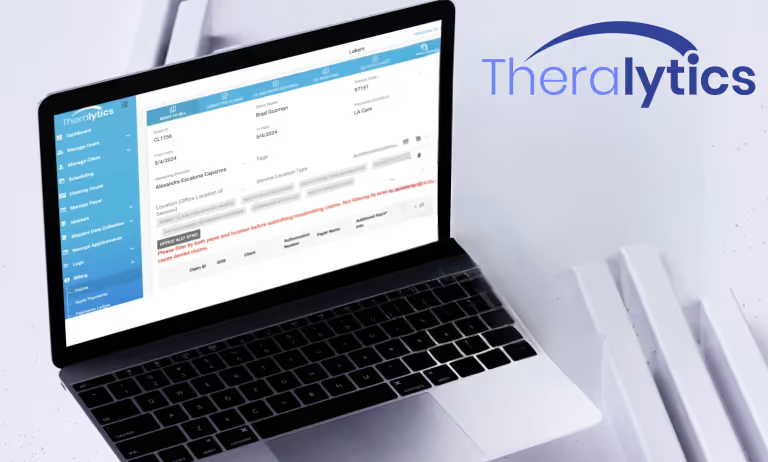
Theralytics is an all-in-one ABA platform built by a Board Certified Behavior Analyst who owned and operated multiple ABA organizations. Data collection sits at the center of the system, not bolted on as an afterthought. Session data flows directly into documentation and billing without duplicate entry, so data stays clean, and claims go out right the first time.
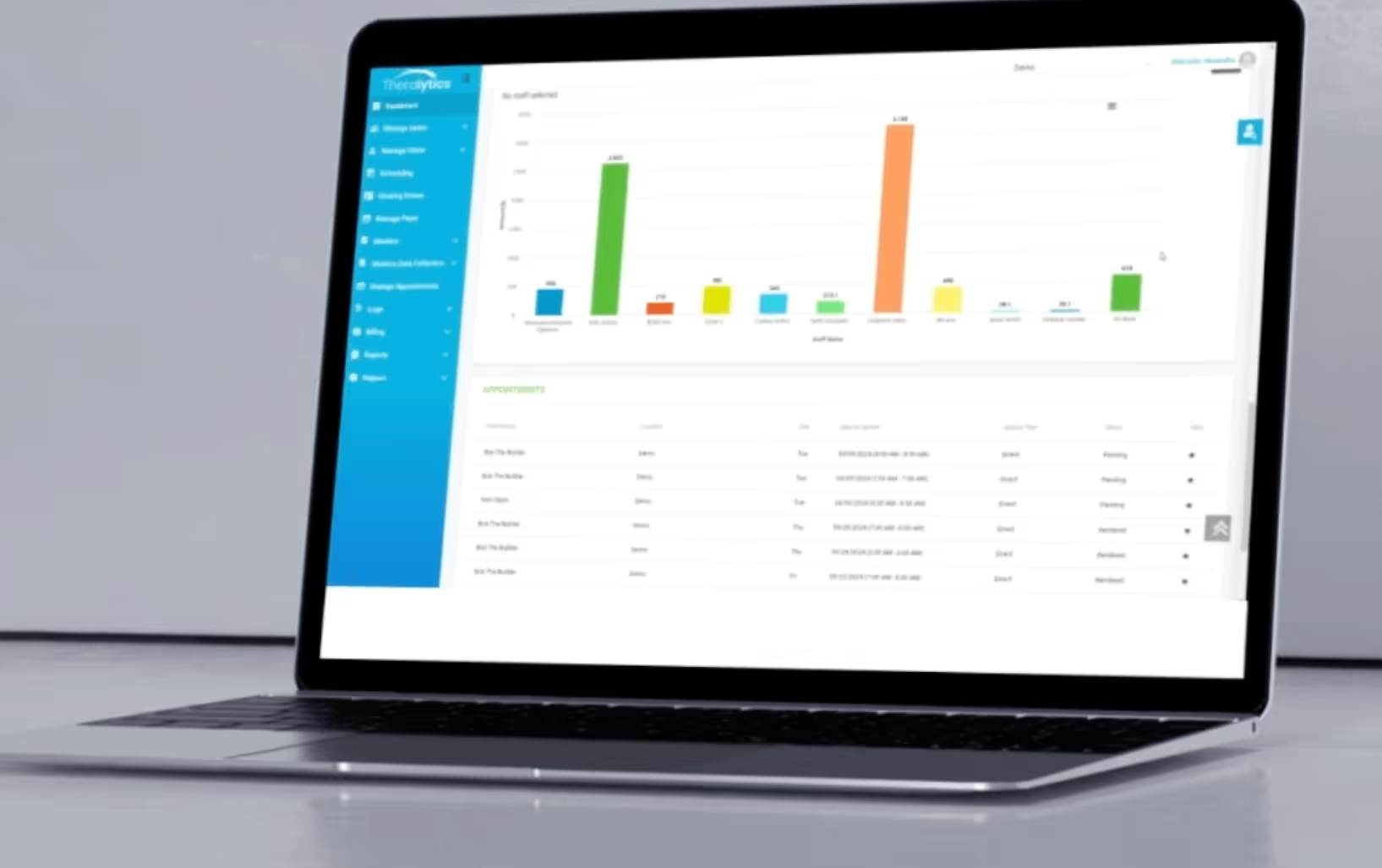
As data comes in, interactive charts and dashboards update in real time, so supervisors can spot trends, adjust protocols, and make clinical decisions without waiting for a weekly report. Every data point, mastery criterion, and progress graph flows directly into documentation and billing in the same system, which keeps data quality high, claims clean, and your team out of duplicate entry.
Who it's for
ABA clinics of any size that want data collection, scheduling, billing, and documentation in one platform. Particularly strong for growing practices that need software that scales without enterprise-level cost or complexity.
Key features
- Real-time data collection across web and mobile. As an all-in-one platform for ABA and therapy management software, data entered on a phone, tablet, or browser syncs to the agency database instantly, so the entire team stays current.
- Offline mobile mode. Providers collect data without an internet connection, and everything syncs automatically once the device is back online. Useful for home, school, and community-based sessions.
- Interactive graphs and clinical reports. Visualize each client's goals and behaviors over time with phase change lines, notes, and trend analysis. Reports export for payer submission or stakeholder sharing.
- Real-time KPI dashboard. From login, your team sees authorization expirations, document deadlines, clearinghouse rejections, payer denials, scheduling graphs, and appointment statuses in one view.
- Integrated documentation, billing, and payroll. Approved session notes generate clean claims automatically, with automated claim submission and payment tracking built into the billing workflow. This reduces administrative tasks for an ABA therapy practice and improves revenue collection efficiency, while payroll runs off the same session data so compensation and billing always line up.
- Customizable permissions and electronic signatures. Scheduling can be centralized or shared with staff. Documentation and signatures happen in the same system.
- Staff training and audit reports. Onboarding and training are included at no extra cost. Built-in audit reports help supervisors track team performance and catch issues early.
- Dedicated migration team. Switching from another platform comes with a team that handles the transition end-to-end. No data loss, no downtime.
Security and certifications
This is where Theralytics genuinely stands apart from most ABA tools, with strong security that meets healthcare industry standards. The platform is SOC 2 Type 2 compliant, ONC certified, and HIPAA compliant, and holds the HIPAA Seal of Compliance. Infrastructure is hosted on AWS with multi-layered security: two-factor authentication, WAF protection, encryption for data at rest and in transit, and regular vulnerability scans. For practices that worry about audit readiness and data breaches, this is meaningful.
Pros
- Built by a BCBA who has run ABA organizations, so the workflows reflect how clinics actually operate
- One login covers data collection, billing, scheduling, and documentation
- Transparent per-client pricing that scales with you
- SOC 2 Type 2 and ONC certified, with the HIPAA Seal of Compliance
- Free onboarding, training, and support
- Recognized by Software Advice for Best Customer Support across multiple years
- Optional full-service billing at 4.5% of receivables for teams that want a hands-off partner, with billing services that support revenue cycle management through claim tracking and accounts receivable management
- BCBA Startup Package: free for 6 months or until your first client
Cons
- Newer to the market than legacy enterprise platforms
- Best fit for ABA-only practices; multi-disciplinary clinics may need add-ons
- Pre-built program library is smaller than Motivity's 1,000+ template set
- 10 client minimum on standard plans, with a $200 to $300 monthly base depending on package
Pricing
- Practice Management: $20 per client/month
- Data Collection: $20 per client/month
- Combined (Practice Management + Data Collection): $30 per client/month (or $40 per user/month)
- BCBA Startup Package: Free for 6 months or until first client
- Full-service billing: 4.5% of receivables
- 10 client minimum, no annual contract required
Why Theralytics is your best choice
If your team is relying on disconnected tools or separate tools to run one session, Theralytics solves that. Data collection, documentation, billing, and scheduling work as one system, helping staff manage appointments in the same place. The platform was built by a BCBA who understands what ABA actually looks like day to day, and the company holds the kind of security certifications most ABA vendors don’t have.
Book a free 15-minute demo to see how Theralytics works for your practice.
2. Motivity: Best for Clinical Depth and Customization
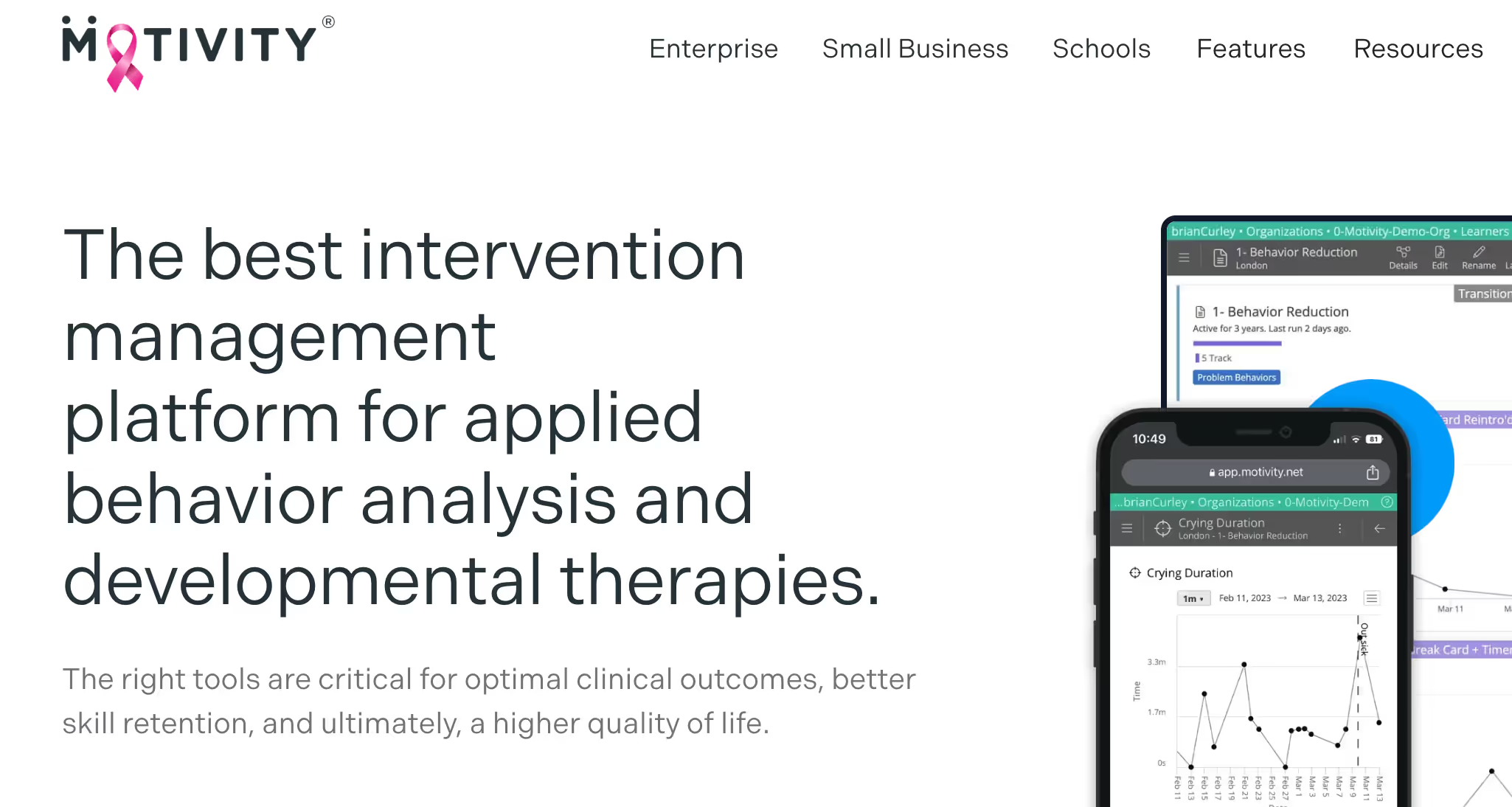
Motivity is a clinically driven ABA platform funded by NIH research grants. The product is built around data collection first, with scheduling, billing, and credentialing available as add-on modules. Practices that want serious clinical depth will appreciate the program builder flexibility.
Who it's for
ABA clinics that prioritize clinical depth and want the option to start with data collection and add practice management later, without switching platforms.
Key features
- Clinical-first program builder. Over 130 features with a fully customizable program builder. BCBAs control teaching instructions, prompt hierarchies with custom-weighted buttons, mastery criteria, and phase transitions. Programs can be built from scratch or pulled from 1,000+ templates, plus a 30,000+ community library.
- Real-time collaborative data collection. Data updates instantly for all users without refreshing. Supervisors monitor live sessions and adjust protocols on the fly. Multiple data views available: target-by-target, by program, all programs, or filtered by label.
- Advanced graphing and visual analysis. Cumulative charts, phase progression charts, event and phase lines, data-by-provider splits, and average session calculations. Bulk chart export with a single click.
- Automatic note and report generation. Session data, learner demographics, and program notes auto-populate into customizable report templates with configurable approval workflows.
- Caregiver data collection. Assign specific goals to parents or caregivers so they can take data independently, with or without a formal session.
- Forward and backward chaining. Multiple task analysis chaining configurations with prompt hierarchies, isolated steps, and phase-based progression for precise skill tracking.
- Practice management add-ons. Scheduling, billing, authorization management, and credentialing alerts available as add-on modules. Integrates with Gusto, QuickBooks, and other payroll tools.
Pros
- NIH-backed, research-validated clinical tools
- Exceptional program builder flexibility
- Unlimited users and data storage on every plan
- Transparent starting price
Cons
- Steeper initial learning curve than simpler platforms, especially if you need more advanced features
- Configuration takes a meaningful time investment
- Advanced practice management features cost extra and add up quickly
- Less plug-and-play than competitors built around quick onboarding
Pricing
- Data Collection: $24 per learner/month
- All-in-one (Data + Scheduling + Billing): $48 per learner/month
Bottom line
Motivity is the strongest pick if clinical depth is your priority and you want room to grow into full practice management later. Plan for setup time, but the program flexibility pays off.
3. Hi Rasmus: Best for Telehealth, Supervision, and Data Flexibility

Hi Rasmus focuses on comprehensive clinical data collection as a mobile-first aba data collection app with extensive data types, customizable workflows, telehealth tools, and supervision features. AI-assisted documentation rounds out the platform, and it is built for aba practitioners who need flexible supervision workflows.
Who it's for
ABA practices that prioritize telehealth and supervision, particularly those working across multiple locations or serving clients in remote areas. Best paired with a separate practice management system for billing and scheduling.
Key features
- Comprehensive data types. Supports discrete trials, target sets, task analyses, interval recording, duration, rate, and ABC data — with the ability to mix types within a single program for learners with autism and other developmental disorders. Includes built-in protocol support for ESDM, SBT, the Balance Program, and SET.
- Automatic workflow management. Customizable mastery workflows auto-advance targets between treatment phases, open the next targets on deck, and support titrated maintenance schedules for mastered skills.
- Customizable prompt levels. Organization-wide prompt hierarchies with configurable weights, automatic prompt fading, and embedded staff prompts triggered by in-session criteria.
- Supervision and telehealth. Live session supervision with real-time note-taking and program adjustments. Telehealth tools support both live and recorded remote sessions.
- Asynchronous video scoring. BCBAs review and score recorded sessions on their own time. Clicking any trial jumps to the corresponding point in the video, with time-stamped feedback sent to staff. Unique among platforms reviewed.
- AI-assisted documentation. AI generates session summaries and automates parts of data entry, reducing repetitive tasks tied to paperwork. Customizable note templates auto-include session data, program notes, and supervision notes.
- Geolocation and signature workflows. Notes can require signatures from providers, supervisors, and parents. Geolocation captured at session start, end, and signature for EVV compliance.
- Offline capability and unlimited programs. No restrictions on programs or targets per learner. Mobile app works offline and syncs when connectivity returns.
Pros
- Most data collection types of any platform reviewed
- Strong telehealth and supervision features
- AI documentation tools genuinely save time
- Async video supervision is unique among competitors
- Unlimited programs and targets per learner
Cons
- Requires a separate practice management system for billing and scheduling
- Complex navigation, many clicks for some workflows
- Integration with PM tools can cause sync issues
- Pricing not public
Pricing
By quote. Standard and Premium client license types.
Bottom line
Hi Rasmus is for teams where telehealth, supervision, and clinical depth come first. The async video supervision and AI documentation are real differentiators. Plan for a separate billing system and the integration overhead that brings.
4. ABADesk: Best for Solo Practitioners and Small Practices
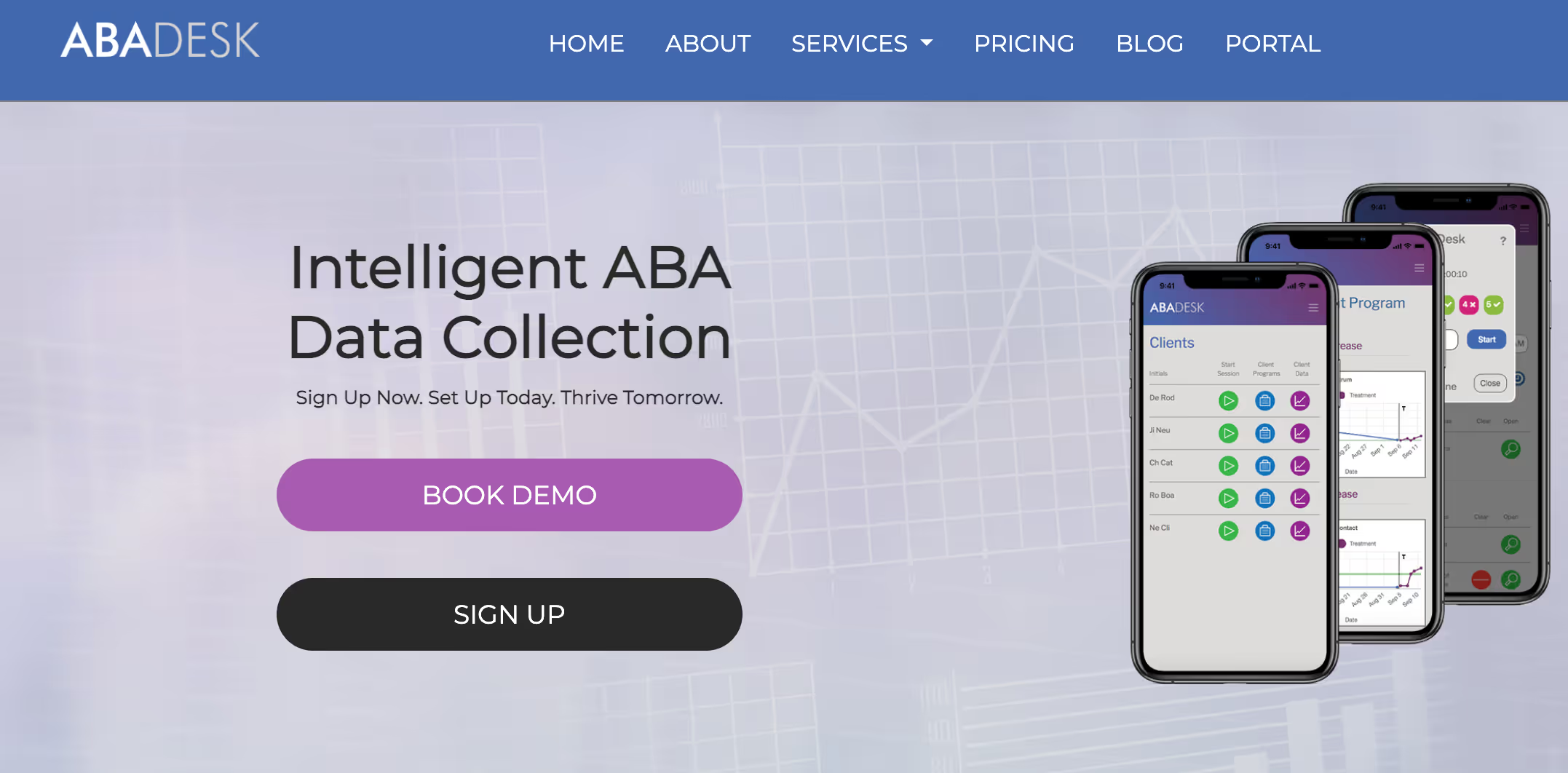
ABADesk is a simple, affordable, user friendly ABA software option built for solo practitioners and small ABA practices. It covers the essentials (session notes, data collection, automatic backups) without the cost or complexity of larger platforms.
Who it's for
Solo BCBAs and small ABA practices that want a low-cost way to track client progress without paying for features they won't use.
Key features
- Automated program management. Programs advance automatically through phases, chaining sequences, and sequential goals based on collected data, reducing manual BCBA updates.
- Customizable data collection. Supports duration, frequency, interval recording, task analysis, and trials. Each program can include optional baseline, maintenance, and generalization phases.
- Treatment plan generator. Automatically compiles, sorts, and formats client program data into structured treatment plans, using accurate data as the foundation while still leaving room for clinical input.
- Automatic graphing. Graphs generate in real time as data is entered, letting clinicians spot trends during sessions rather than waiting for post-session analysis.
- Customizable session notes. Standard notes with signature fields, expandable with custom dropdowns, checkboxes, and text fields to match each practice's requirements.
- Cross-device access. Browser-based with full functionality on phones, tablets, and computers. Knowledge base with articles, visuals, and video based training guides for fast onboarding.
Pros
- One of the most affordable options on the market
- Quick to learn, minimal training needed
- No bloat, does what it advertises
- Reliable automatic backups
Cons
- Limited features compared to larger platforms
- No integrated billing, scheduling, or practice management
- Smaller user base and fewer independent reviews
- Reporting and graphing less sophisticated than competitors
Pricing
$10 per user/month on multi-user plans. $50/month for a single user. Unlimited plan available at $1,225/month for larger organizations.
Bottom line
ABADesk works well if you're a solo practitioner or running a small practice and just need clean data collection without the extras. As you grow, you'll likely outgrow it, but it's a solid starting point.
5. Therapieces: Best for Startup Clinics on a Budget
Therapieces is built specifically for startup ABA clinics. Created by therapists, it focuses on simple data collection, team messaging, and offline capability at one of the lowest price points in the market.
Who it's for
New ABA clinics that need a budget-friendly data collection tool to get started without sacrificing core features like offline mode, graphing, and team communication.
Key features
- Customizable data collection. Supports interval recording, task analysis, ABC data, and client-specific program guides. In-session interface designed to feel as simple as paper-based data sheets.
- Automatic graphing and milestone tracking. Graphs generate in real time with milestone markers to track treatment progress and inform programming decisions.
- Team messaging with acknowledgment tracking. Notifications tied to client data require staff to confirm they've read critical messages before accessing associated data, ensuring nothing gets missed.
- Offline data collection with auto-sync. Collect and save data without internet access. Syncs automatically when the device reconnects.
- Ready-to-use program templates. Pre-made early learning program guides help new clinics start quickly without building from scratch.
- Session-level data visibility. Programs displayed in tile format so staff see all active programs at once while collecting trial-level data within each program.
Pros
- Lowest entry price of any tool reviewed
- Designed by therapists for therapists
- Team messaging built into the platform
- Offline mode included at the base price
Cons
- Limited scalability for mid-to-large practices
- Smaller user base means less independent validation
- Fewer advanced clinical and reporting features
- No integrated billing or scheduling
Pricing
$10 per client/month (data collection). $13 per client/month (data collection + scheduling).
Bottom line
Therapieces is the right tool for new clinics that need core functions without a big upfront investment. It’s not designed to grow with a large practice, but for starting out, the value is hard to beat.
How We Tested These Platforms
We evaluated 15+ ABA data collection platforms and narrowed the list to 5 based on real practice needs. Every platform was assessed against the same criteria:
Clinical depth. Range of supported data types (frequency, duration, interval, ABC, task analysis, rate), program builder flexibility, template availability, real-time graphing, mastery criteria, phase change markers, and trend analysis.
Mobile and offline reliability. True offline data capture versus simulated offline, auto-sync reliability, in-session usability on phone and tablet, and iOS plus Android availability.
Integration with practice management. Whether data flows into documentation and billing without re-entry, authorization tracking tied to clinical data, and all-in-one versus integration-required architecture.
Compliance and security. HIPAA compliance verified, encryption standards, audit trails, additional certifications like SOC 2 and ONC where applicable.
Total cost of ownership. Per-client, per-user, or flat pricing, add-on costs, implementation fees, and long-term contract requirements.
Onboarding and support. Setup timeline (days versus weeks versus months), training resources included, and support responsiveness based on verified reviews.
Verified user feedback. Reviews from Capterra, G2, and Software Advice, with attention to patterns across reviews rather than isolated opinions.
How to Choose the Right ABA Data Collection Software
Choose Theralytics if you:
- Want data collection, billing, scheduling, and documentation in one platform
- Run a growing practice and need software that scales without enterprise complexity
- Care about security certifications (SOC 2 Type 2, ONC, HIPAA Seal of Compliance)
- Want transparent per-client pricing and the option for full-service billing
Choose Motivity if you:
- Prioritize clinical depth and research-backed tools
- Want to start with data collection and add PM modules later
- Need a large library of pre-built program templates
Choose Hi Rasmus if you:
- Run a telehealth-heavy or multi-location practice
- Need the most data collection types and async video supervision
- Are okay running a separate practice management system
Choose ABADesk if you:
- Are a solo BCBA or small practice
- Need core data collection without paying for unused features
Choose Therapieces if you:
- Are launching a new clinic on a tight budget
- Want essentials like offline mode and graphing at the lowest cost
Frequently Asked Questions
What is ABA data collection software?
ABA data collection software is HIPAA-compliant ABA software used to capture and organize behavioral data during applied behavior analysis sessions, and these tools are widely used across ABA and broader behavioral health settings. The software supports the data types ABA uses (frequency, duration, interval, ABC, task analysis, rate), generates real-time graphs with mastery criteria, and ideally connects clinical data to documentation and billing without duplicate entry.
What features should ABA data collection software include?
At a minimum: support for core ABA data types, real-time graphing with mastery criteria, mobile and offline capture, customizable program builders, and HIPAA compliance. Strong platforms also integrate data with session notes and billing to eliminate manual re-entry, while better systems add clinical dashboards and broader data access, plus compliance tracking for practices with stricter documentation and audit needs, and offer security certifications like SOC 2 and ONC.
How much does ABA data collection software cost?
Pricing ranges from about $10 to $50 per learner or user per month for clinical-only tools. All-in-one platforms typically run $20 to $48 per learner/month. Watch for hidden costs like implementation fees, per-module add-ons, and long-term contracts.
Can ABA data collection software work offline?
Yes. Most modern platforms, including Theralytics, Hi Rasmus, and Therapieces, support offline data collection with automatic sync when the device reconnects. Offline mode is essential for clinicians working in homes, schools, or community settings without reliable Wi-Fi.
What data types does ABA data collection software track?
The core data types are frequency, rate, duration, interval (whole and partial), momentary time sampling, ABC (antecedent, behavior, consequence) recording, task analysis, and discrete trial data. Stronger platforms also support custom data types and let BCBAs define their own measurement criteria.
Is ABA data collection software HIPAA compliant?
All reputable ABA data collection platforms are HIPAA compliant, using encryption, secure logins, audit trails, and signed Business Associate Agreements. Some platforms go further with SOC 2 Type 2 and ONC certifications, which adds another layer of verified security. Always check certification documentation before adopting any platform.
Can I use my phone for ABA data collection?
Yes. All 5 platforms reviewed offer mobile apps for iOS and Android. Mobile-first design matters most for clinicians working in homes and schools where laptops aren't practical.
Do I need separate software for data collection and billing?
Not necessarily. Some clinics may pair separate tools, but an all-in-one system avoids the drawbacks of disconnected tools. Clinical-first platforms like Hi Rasmus require pairing with a separate practice management system. All-in-one platforms like Theralytics handle data collection, billing, scheduling, and documentation in a single system, which eliminates double entry and integration headaches. Larger organizations may still prefer a broader platform like Passage Health or Rethink Behavioral Health.
How long does it take to implement ABA data collection software?
Setup ranges from a few days to several weeks. Cloud-first platforms like Theralytics and Therapieces typically onboard within a week. Clinical platforms with deep customization like Motivity and Hi Rasmus require more configuration time. Always ask vendors for a specific implementation timeline before signing.
Also Read
5 Best ABA Billing Software Solutions of 2026: Top 5 ABA billing platforms compared on features, pricing, and security.
10 Best ABA Practice Management Software Solutions in 2026: 10 ABA practice management tools ranked by size, workflow fit, and growth potential.